New · Hosting panel plugin

OpenWaf, right inside
your hosting panel

One plugin for cPanel & WHM, Plesk and DirectAdmin. Switch protection on for any domain;
real visitor IPs, AutoSSL and firewall whitelists are handled for you.

Request a license How it works
cPanel › OpenWaf Protection
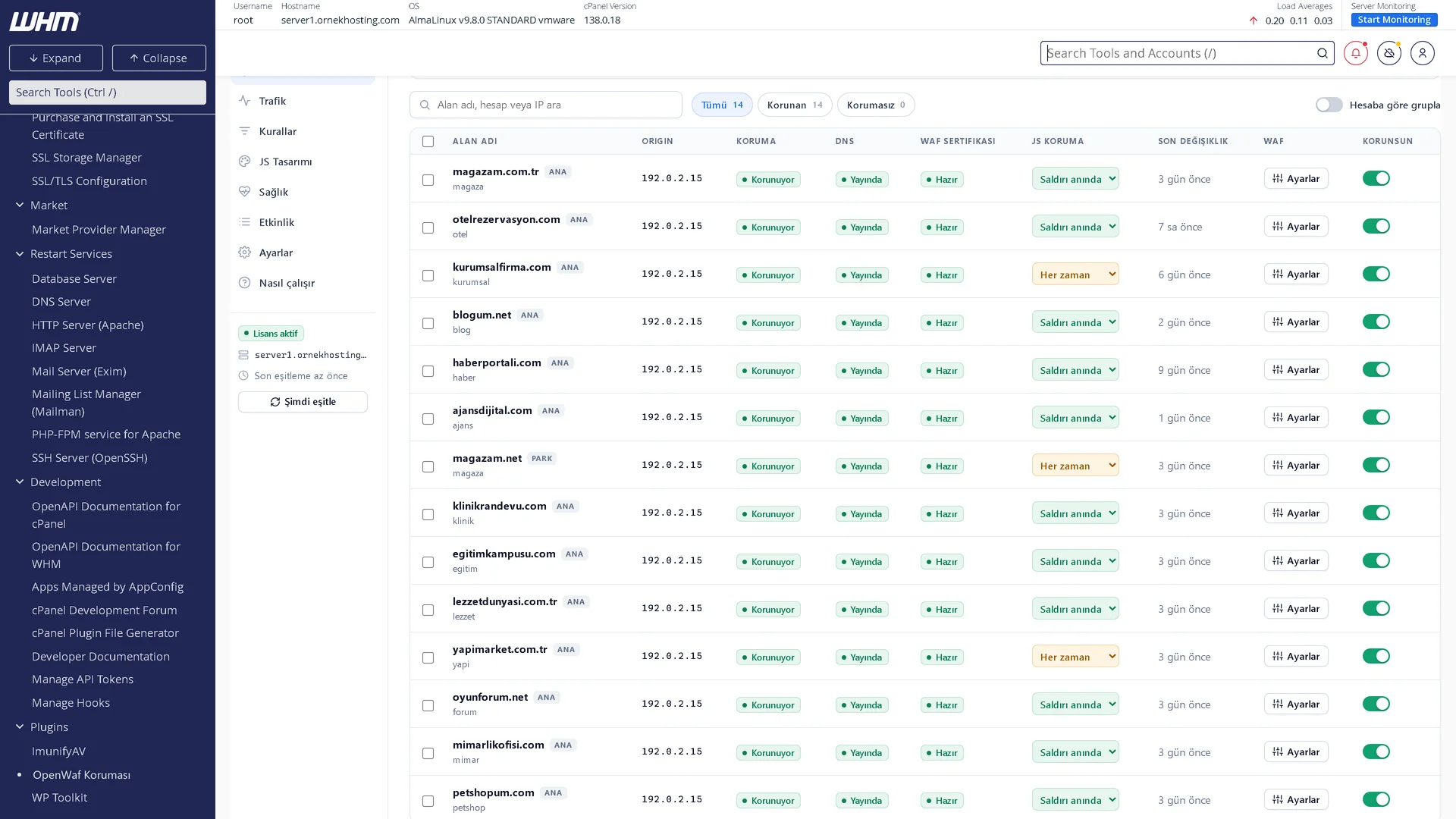
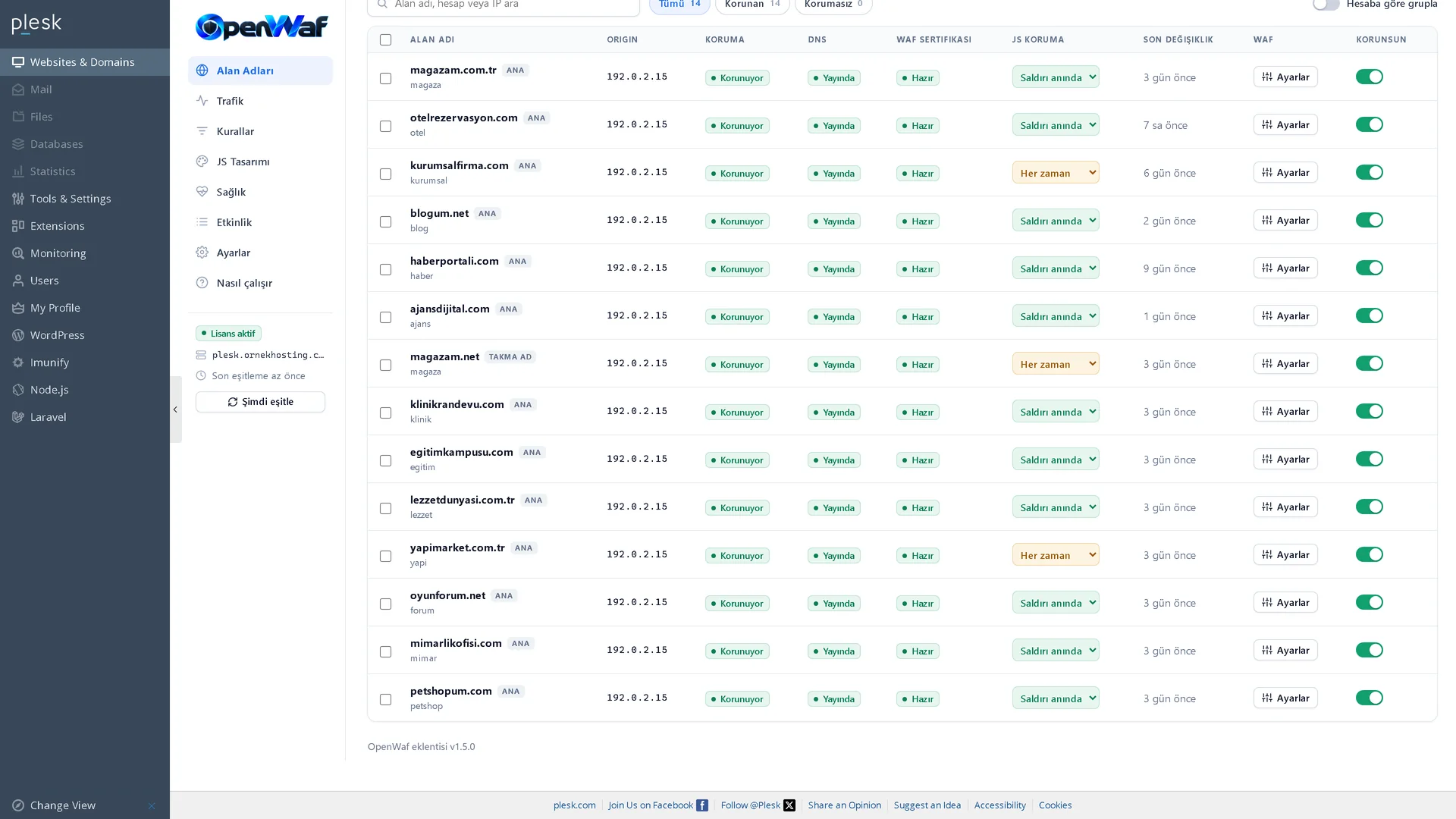
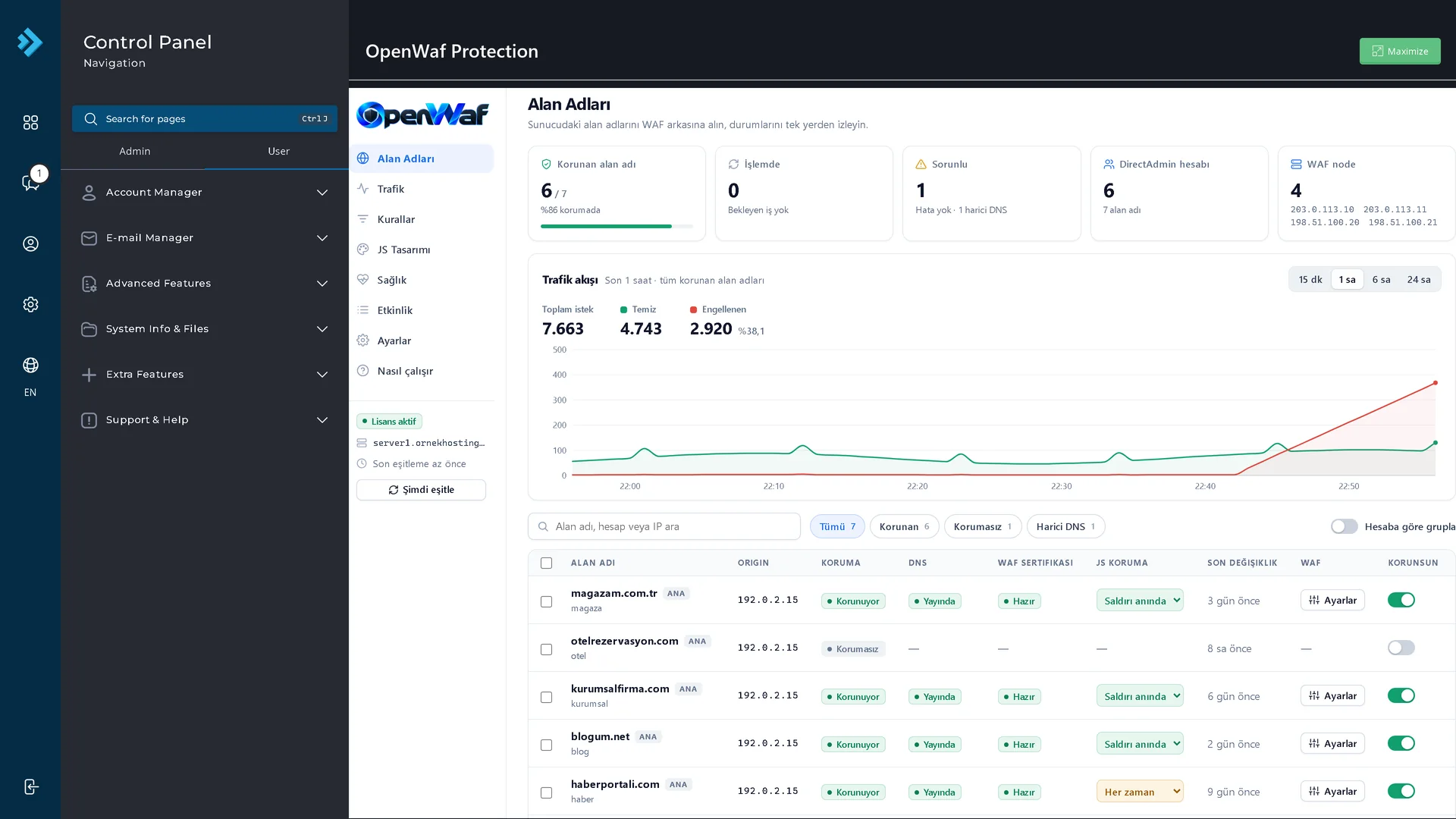
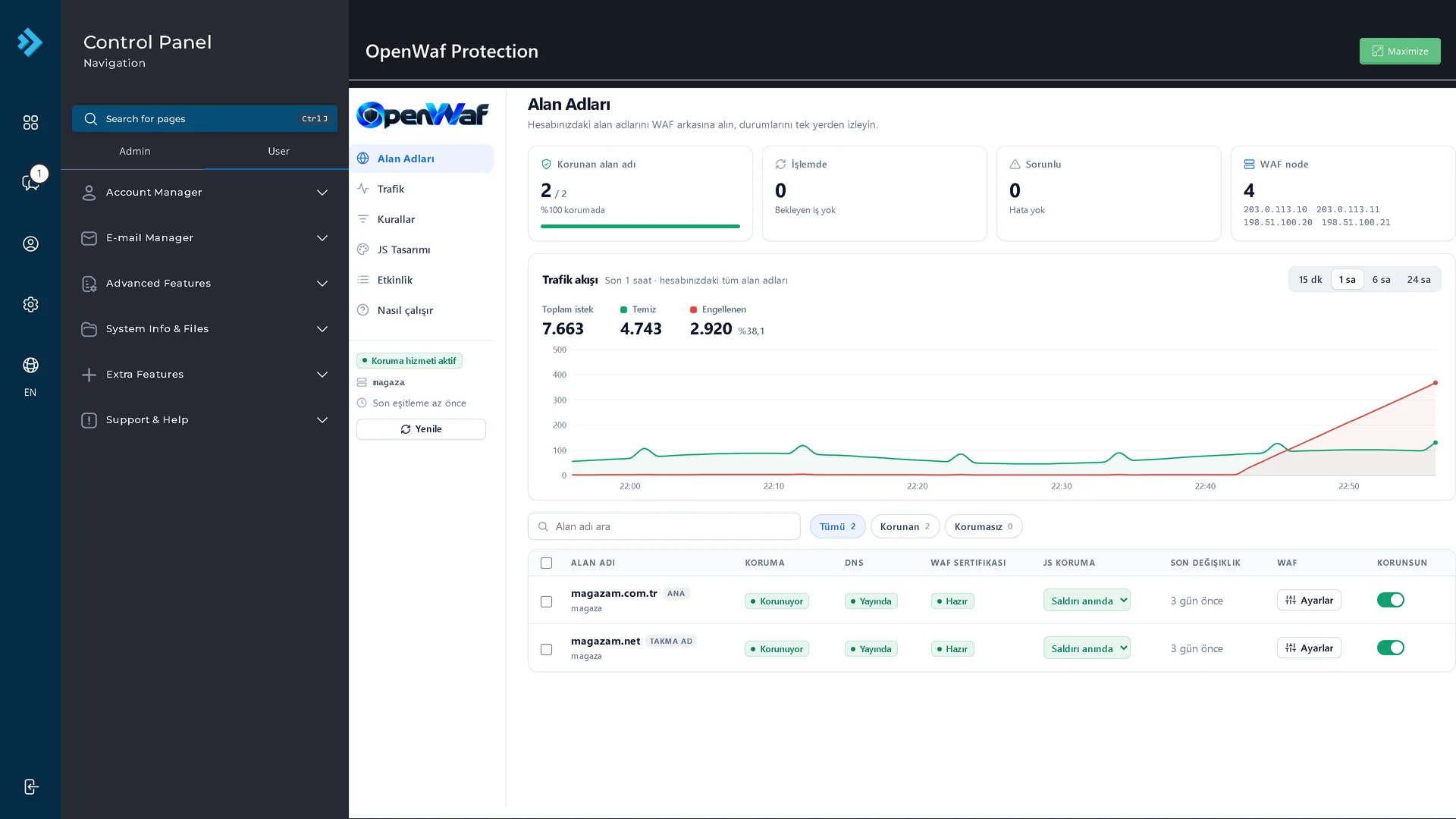
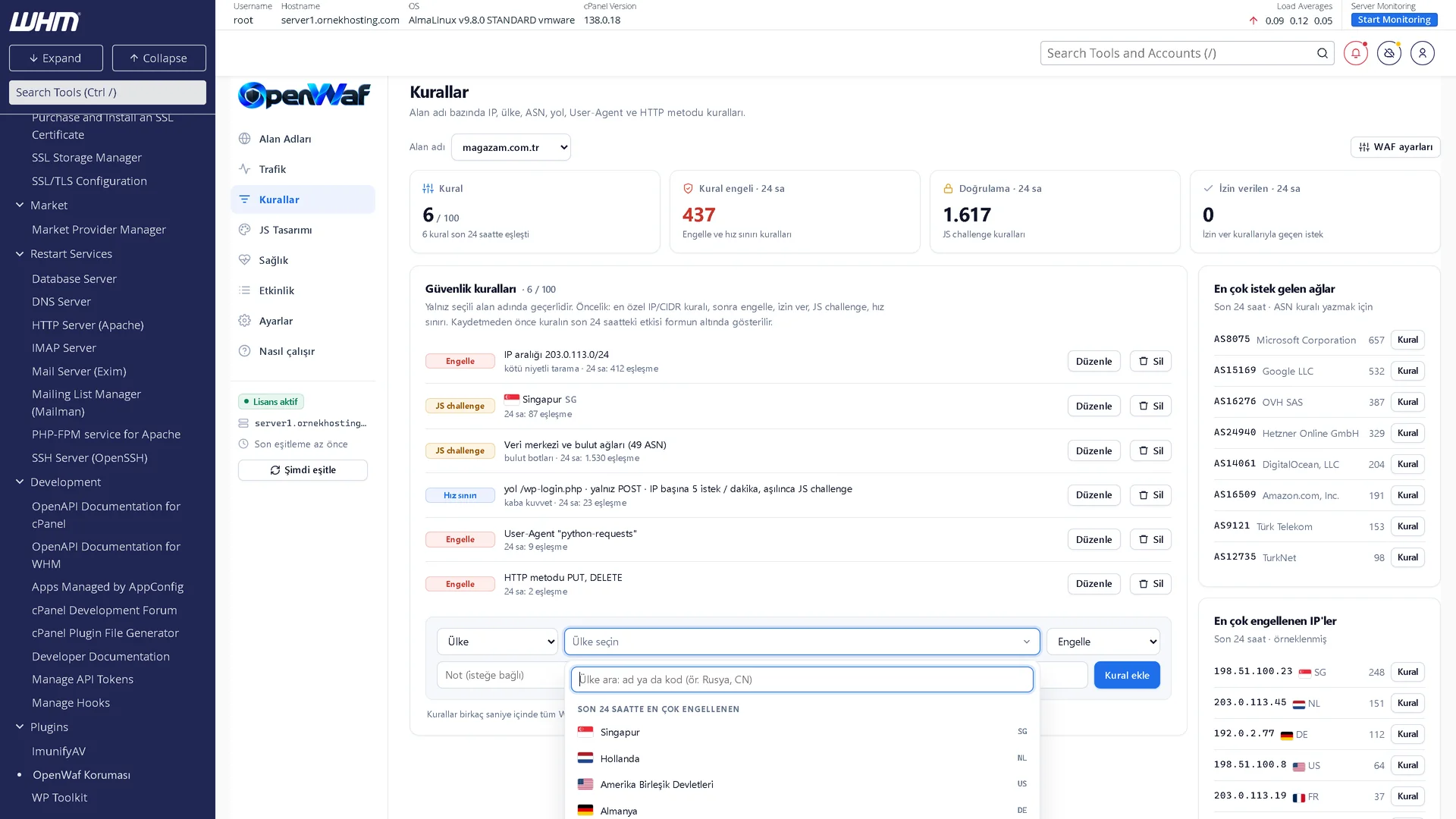
OpenWaf plugin in cPanel: protected domains, traffic flow and status for one account OpenWaf plugin in WHM: every domain on the server with protection, DNS and SSL status OpenWaf plugin in Plesk: domain list with protection switches and JS challenge modes OpenWaf plugin in DirectAdmin: protected domains, traffic flow and WAF nodes

Real plugin screens with demo data. Click a screen to enlarge it.

SUPPORTED PANELS

Built for the panels you already run

cPanel & WHM

WHM for the server admin, cPanel (Jupiter) for every account on the server.

Plesk

Plesk on Linux, with separate admin, reseller and customer views.

DirectAdmin

DirectAdmin Evolution, at admin, reseller and user level.

Works withApacheLiteSpeednginxCSFImunify360cPHulk
FEATURES

Everything a hosting server needs

One-switch protection

Turn protection on per domain. Its DNS records move to the OpenWaf edge and are restored the moment you switch it off; mail records stay on your server.

Real visitor IPs

Apache, LiteSpeed and nginx are configured automatically, so logs, statistics and your apps see the real visitor, not the filter.

AutoSSL keeps working

Certificate validation passes through the WAF to your server, so AutoSSL and Let’s Encrypt renewals keep working behind protection.

Firewall-aware

Edge IPs are whitelisted in CSF, Imunify360, cPHulk, Plesk Fail2Ban and DirectAdmin BFM, so your firewall never blocks the filter.

Rules & rate limits

Block, allow or challenge by IP, country, ASN, path, User-Agent or HTTP method, add rate limits and preview what a rule would match.

JS challenge on demand

Switch a domain to browser verification during an attack and design the challenge page your visitors see.

Live traffic & health

Traffic flow, blocked requests and attack events per domain, plus continuous checks for real-IP setup, firewall, license, DNS and server time.

For users and resellers

cPanel users, Plesk customers and DirectAdmin users and resellers manage only their own domains, in English or Turkish.

SCREENS

A closer look

Eight screens from the plugin, shown in full. Slide along the shelf and click any screen to view it large.

HOW IT WORKS

Live in three steps

  1. Install with one command

    Run the one-line installer we send you on the server. It detects the control panel, web server and firewall by itself.

  2. Choose your domains

    Open OpenWaf from your panel’s menu and switch protection on for the domains you want.

  3. Stay online

    Traffic flows through the OpenWaf edge. Attacks are filtered before they ever reach your server.

root@server ~
# curl -sS https://customer.openwaf.net/agent-dl.php -o /root/openwaf-install.sh
# bash /root/openwaf-install.sh LICENSE-KEY
  ✓ cPanel & WHM detected · LiteSpeed
  ✓ License verified for this server
  ✓ Real visitor IP configured
  ✓ Firewall whitelist: CSF + cPHulk
  ✓ Plugin installed. Open it from WHM.
FAQ

Plugin questions

Can’t find your answer? Our team replies in minutes.

Which panels and web servers are supported? ×

cPanel & WHM, Plesk (Linux) and DirectAdmin, with Apache, LiteSpeed or nginx. The installer detects your setup automatically.

Do I need to change DNS by hand? ×

No. When you switch protection on, the plugin points the domain’s records in your panel’s DNS zone to the OpenWaf edge, and restores them when you switch it off.

Will email or SSL be affected? ×

No. Mail records keep pointing to your server, and certificate validation passes through to your panel, so AutoSSL renewals keep working.

How is the plugin licensed? ×

Per server. Request a license from our team and we’ll send you the one-line install command for your server.